MSP Notes app icon

Notes · Android

MSP Notes

Notes, photos, documents, scans and voice notes in one encrypted library on your phone — and search that finds the words inside all of them.

Google Play — coming soonPrivacy policy

What it does

Write in blocks

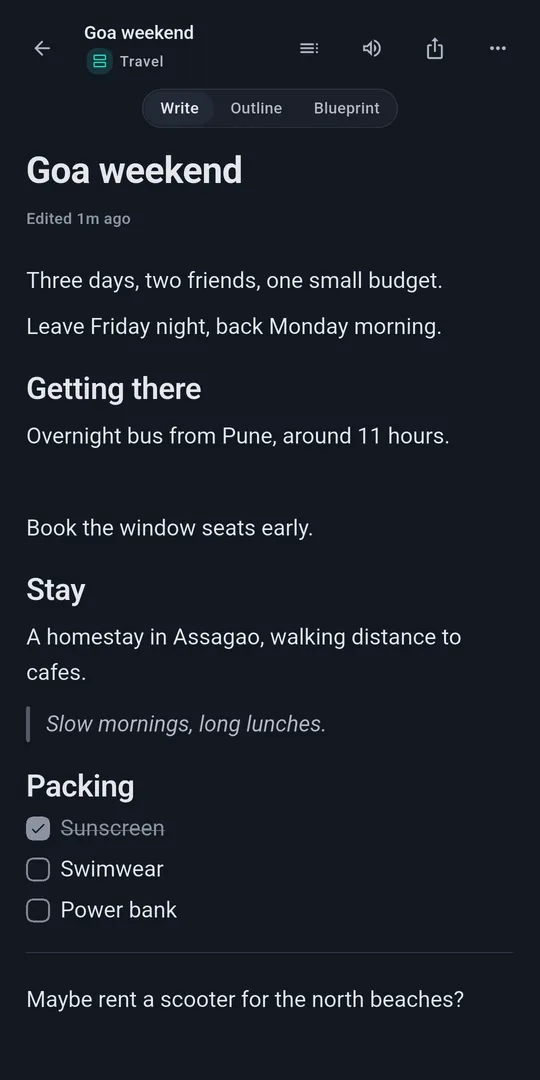
A block editor for structured notes, with twelve quick-start templates.

  • Headings, lists, checklists, toggles, tables, quotes, callouts and code
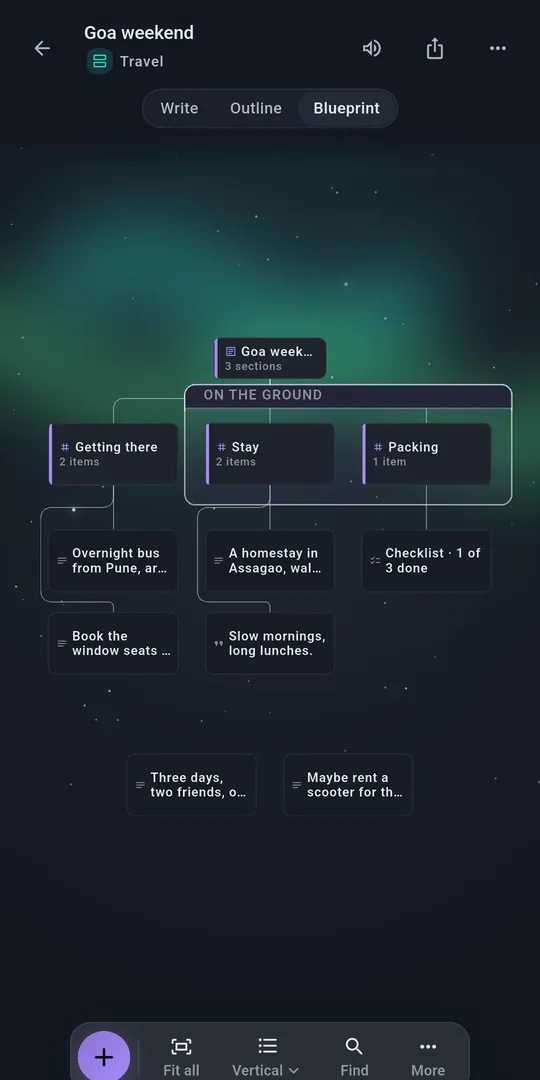
  • Write, Outline and Blueprint views of the same note
  • Links between notes

Collect anything

Keep the material a note is about inside the note.

  • Photos from the system photo picker or the camera
  • PDFs, Word documents and spreadsheets, readable in the app
  • Scan paper pages into a single PDF
  • Voice notes recorded in the app

Find it again

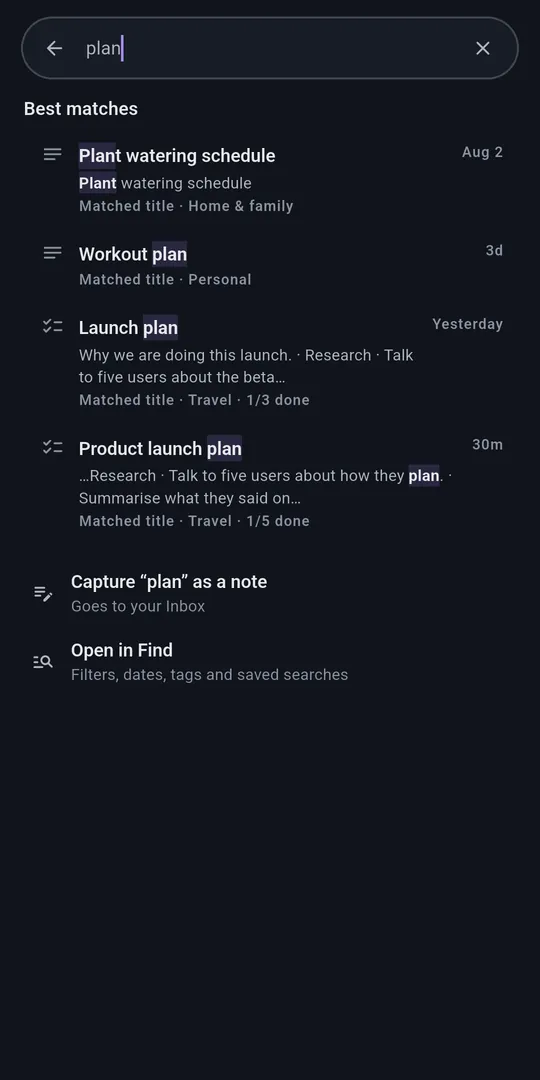
Full-text search across notes and the text inside PDFs, documents and scanned pages.

  • Text in images and scans is read on the device
  • Search by voice with Voice Find
  • Tags, collections, saved searches and a knowledge map

Organise and recover

Spaces, an inbox for quick captures, archive and trash.

  • Revision history for every note
  • Trash keeps deleted notes for 30 days
  • Duplicate files found and grouped for review

Lock what's private

The whole library is encrypted on the device. Individual notes can be locked with a PIN or password.

  • Optional biometric unlock for locked notes
  • Locked notes relock after 30 seconds in the background
  • Screenshots blocked while a locked note is open

Export, back up, listen

Your notes are never stuck in the app.

  • Export a note as PDF, Word (DOCX) or Markdown
  • Password-protected backup files you save where you choose
  • Read Aloud with your phone's text-to-speech voices

Privacy at a glance

Built to keep your notes on your phone

No internet permission
The release app does not request Android's internet permission, so it cannot connect to the internet itself.
Encrypted on the device
Notes and attachments are stored in encrypted databases. The key is protected by the Android Keystore.
No accounts, ads or analytics
There is nothing to sign up for, and no advertising, analytics or crash-reporting SDK. Google ML Kit's diagnostics library is included but cannot send anything without internet access.
Voice uses your phone's recogniser
Voice Find and voice typing use Android's speech recognition service, which may process speech online. Voice notes stay in the app.

Read the full privacy policy

Screens

Shown with sample content.

A note titled Goa weekend in Write view, with headings, a quote and a packing checklist The same note in Blueprint view, showing its sections as a connected map Search results for the word plan, matching note titles and checklist text