MSP TimeTable app icon

Planning · Android

MSP TimeTable

Plan the day, the week and the month, then do the work: focus sessions, reminders and wake alarms in one timetable that lives on your phone.

Google Play — coming soonPrivacy policy

What it does

Plan at every scale

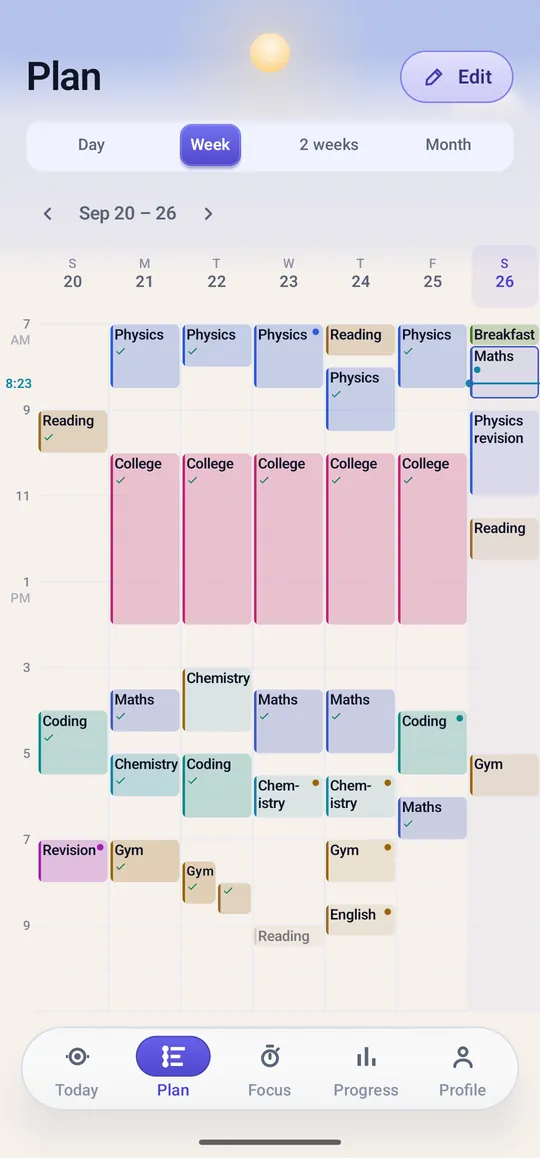
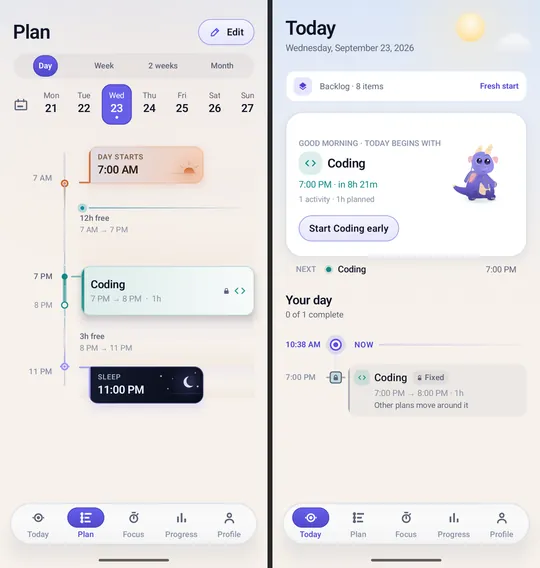
Day, week, two-week and month views of the same plan.

  • Repeating fixed commitments, like college or work
  • A "usual day" with your wake and sleep times
  • Templates and step-by-step routines

Tasks, habits, goals

Keep the things you want to do next to the time you have to do them.

  • Tasks with subtasks, priorities and deadlines
  • Habits on a daily, chosen-day or times-a-week rhythm, each with a time target
  • Goals broken into milestones

Focus

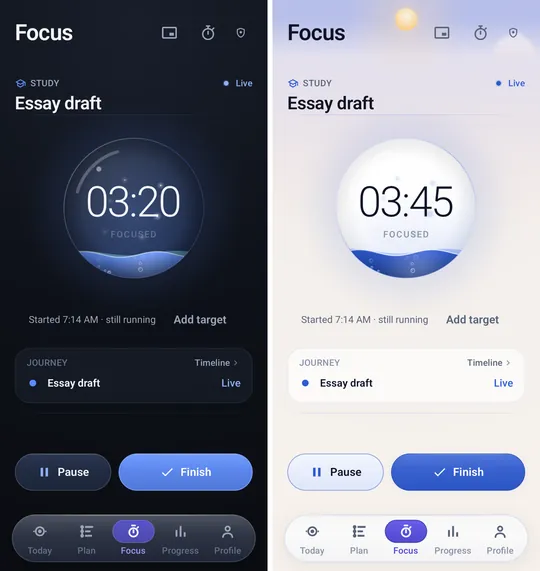
A focus timer with targets and breaks, and a history of every session.

  • Study Mode, and Deep Focus that can turn on Do Not Disturb
  • Focus Mini — an optional floating timer over other apps
  • A precision stopwatch

Reminders and wake alarms

Alerts for what's next, and alarms that make sure you're up.

  • Reminder styles you can tune per activity
  • Wake alarms with snooze and optional challenges — maths, memory, pattern or typing a phrase
  • Built-in tones, system tones, your own audio, or a spoken message

See your progress

Planned against actual, by subject and category.

  • Reports and day reviews
  • A weekly reflection
  • Ori, an in-app companion that suggests what to do next based on your plan

On your home screen and calendar

Your plan where you already look.

  • Today, Focus timer and Quick add widgets
  • Optionally show your phone calendar's events in your plan — read-only
  • Backup and restore files, and CSV export for spreadsheets

Privacy at a glance

Your timetable stays on your phone

No internet permission
The app does not request Android's internet permission, so it cannot connect to the internet itself.
Calendar is optional and read-only
If you connect your phone calendar, events are read to show in your plan and are never stored or changed.
No accounts, ads or analytics
Nothing to sign up for, and no advertising, analytics or crash-reporting SDK.
Backups are yours
Your plan database and history are kept out of Android's cloud backup. You make backup files yourself and choose where they go.

Read the full privacy policy

Screens

Shown with sample content.

Week plan with colour-coded study blocks for physics, maths, chemistry, coding and gym
The Focus screen in dark and light themes, with a running timer for an essay draft The Plan day view and the Today screen showing the next activity